Evernest · 2025
A deterministic AI pipeline for real-estate photos
Staff Product Manager, AI/LLM Initiatives
- Matched the incumbent vendor, in-house
- Cost parity
- Audit log for every enhancement
- Per-step
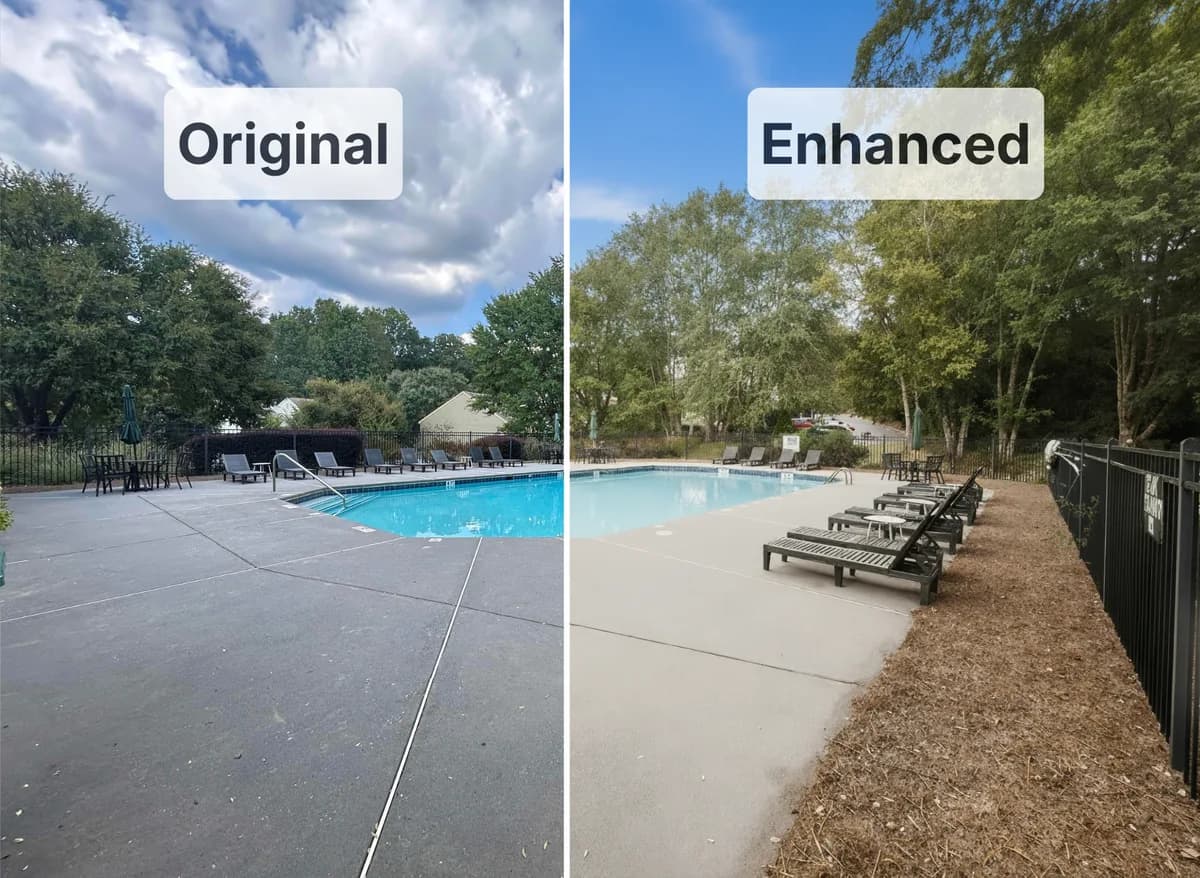
Overview
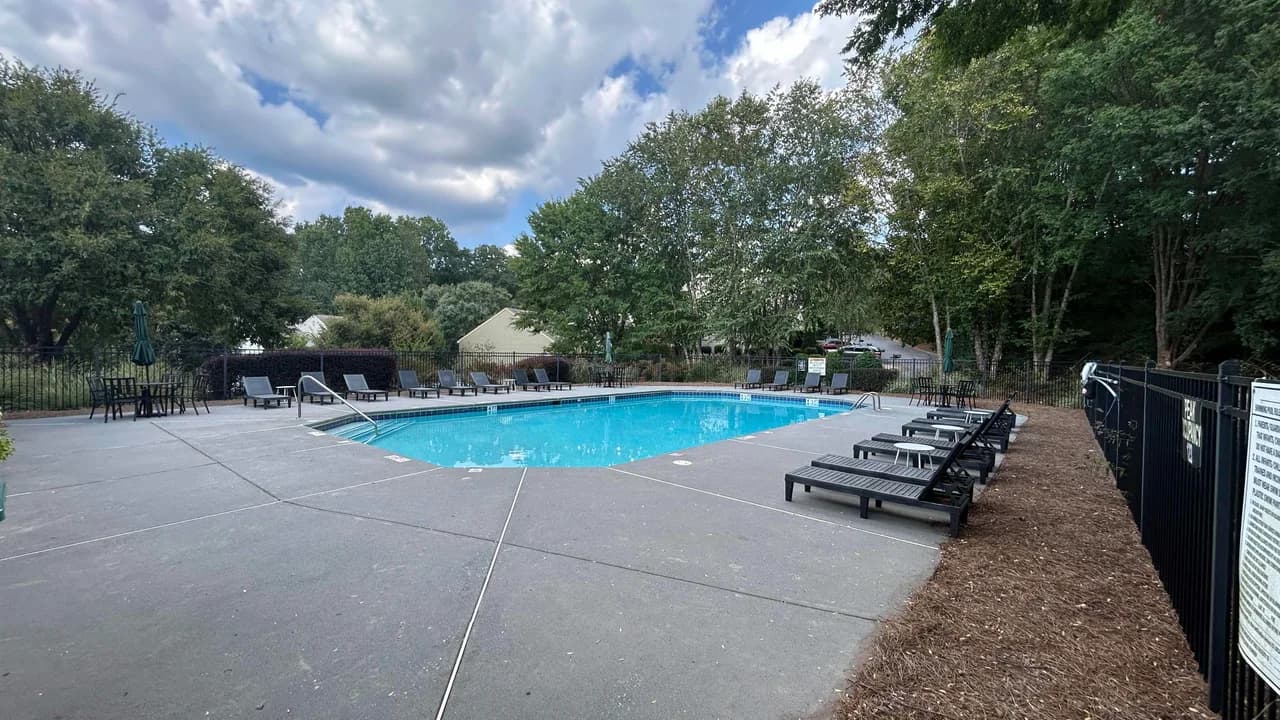
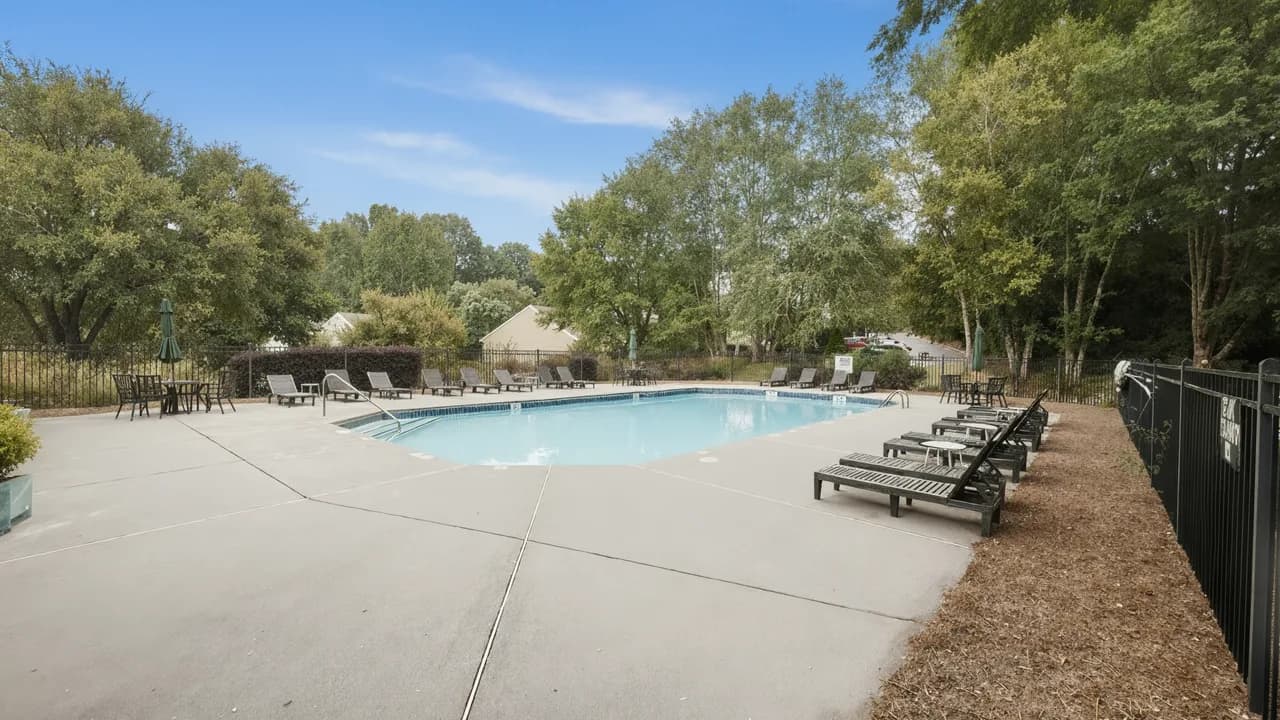
Inconsistent listing photos with dim interiors and dull skies create a poor first impression for potential renters. At Evernest, I designed and built a multi-step AI pipeline that intelligently analyzes and enhances real estate images. The system uses a series of specialized AI agents to apply targeted edits, with automated checks at each stage to ensure photorealistic results. The impact is a scalable, consistent, and fast way to turn mediocre photos into bright, appealing, and professional-quality listings.
Before & After
Objectives
My primary goal was to create an API that would accept an image and return a professionally enhanced version. Success was defined by three key objectives:
- Visual Quality: Produce "daylight" bright interiors, generate clean blue skies, and add a slight warmth without yellowing walls, all while minimizing cropping and object distortion.
- Technical Rigor: Implement a deterministic, multi-step process with built-in quality guardrails (using SSIM and luminance thresholds) to ensure every run was reproducible and met standards.
- Operational Efficiency: Deliver a simple, automated API endpoint for seamless integration.
Solution Overview
I designed a "smart assembly line" for photo editing. First, an AI agent classifies the scene (e.g., interior, exterior, covered patio). Based on that context, an evaluation agent generates a JSON object that prescribes the exact corrections needed.
Example Correction Plan:
"brighten": {
  "needed": true,
  "confidence": 0.9,
  "why": "Mean luminance is below optimal levels for a bright kitchen.",
  "how_to_fix": {
    "exposure_ev_delta": 1.2,
    "whites_boost": 15,
    "black_floor_target_pct": 3,
    "midtone_contrast_boost": 10
  },
  "acceptance_checks": [
    "Luminance increases ≥ 0.05; highlights retain texture (no clipping)."
  ]
}
Finally, an orchestrator calls a series of specialized AI agents to execute the plan, applying corrections like brightening or sky replacement one by one. Each step is validated against the acceptance criteria previously defined by the evaluation agent to ensure the final photo is both beautiful and realistic.
Key Innovations
1. Scene-Aware Corrections
- Problem: A single, aggressive lighting correction made interiors look great but caused outdoor shots to appear washed-out and unnatural.
- Solution: I implemented a scene classification step at the beginning of the pipeline. This allowed me to generate context-aware prompts that applied the right level of correction for each specific environment, creating a versatile solution for a wide range of images.
2. Multi-Step, Modular Corrections
- Problem: A single, all-in-one enhancement prompt produced inconsistent results, often under-applying certain necessary adjustments.
- Solution: I broke the process into discrete, modular steps (e.g., brightness, color, "window pull," sky). The orchestrator only applies a step when the evaluation agent deems it necessary, giving me granular control and much more consistent outcomes.
3. From Garbled Text to a Privacy Feature
- Problem: Generative AI is notoriously bad at recreating legible text. While it handled close-up text surprisingly well, text in the mid-ground was often rendered as a garbled mess.
- Solution: After several failed attempts at text preservation (including OCR and image masking), I reframed the problem. I realized that garbled text was a worse user experience than no text at all. I proposed to the client that we treat unwanted text as a visual flaw and intelligently remove it. They agreed. This required building another evaluation step to identify problem areas and generate a removal prompt, turning a technical limitation into a valuable "privacy" feature.
Results
- Visual Transformation: Consistently produced stunning before/after results, successfully executing complex enhancements like "window pulls" (balancing a bright window with a darker interior) and full sky replacements.
- Quantitative Improvement: Achieved a +0.05–0.12 increase in mean luminance for typical interiors without clipping highlights, while keeping the SSIM (structural similarity index) within our target threshold for photorealism.
- Operational Consistency: The pipeline delivered uniform naming, exports, and per-step logs, creating a fully auditable trail for every enhancement.
Challenges & Lessons Learned
- Model Specialization: I initially designed the system to be model-agnostic (OpenAI or Gemini). However, I quickly learned that each model excelled at different tasks. I simplified the architecture and achieved better results by assigning each model to its area of strength, adding a valuable lesson in leveraging model-specific capabilities.
- The Value of Questioning Requirements: My biggest technical challenge was dealing with text. I could have saved significant development time by discussing the "text preservation" requirement with the client earlier. This reinforced a key product management lesson: always validate assumptions before over-investing in a solution.
- Leveraging AI Coding Agents: This project was built almost entirely with AI coding assistants. My key takeaways were:
- Always use "planning mode" first to prevent agents from making unnecessary or divergent changes.
- For complex features, I found that generating a plan in a separate chat interface (like ChatGPT or Gemini) and then feeding it to the CLI agent for review and execution yielded the best results.